ux/ui design | website
LEAFY WEB
Bringing happiness and satisfaction to plant parents
COMPANY
Personal Project
Product
Website
EXPERTISE
UX/UI Design
YEAR
2024
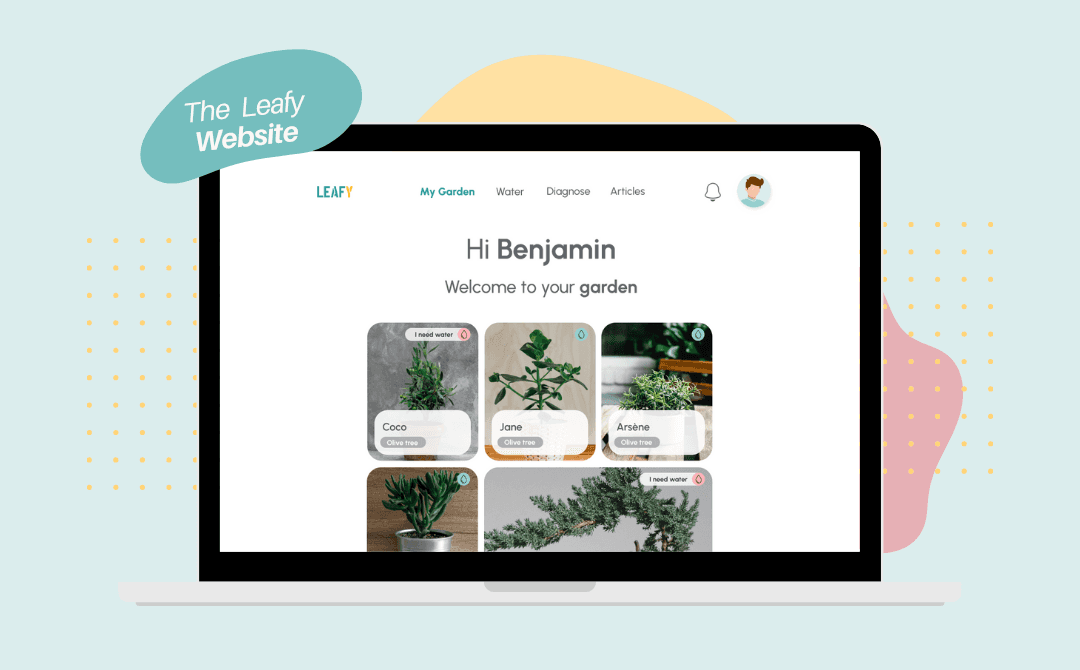
Leafy is originally a mobile app designed to help plant parents understand and care for their plants, specifically their houseplants. This project is the responsive website design adapted from the mobile app.
Role
UX/UI Designer
Duration
1 month
Method
Design Thinking
Some context
The original project saw the light of day during the Google UX Design Certificate and took 6 months of user research, product design and testing. An additional month was required to adapt the mobile app on web.
So… why plants ?
I chose a subject that is close to my heart because I truly believe that being emotionally invested in a project is essential in order to bring real value. Believing in the end product allows us designers to keep the users needs and feelings front and center.
Research & Solutions
For more information about the research conducted for the Leafy project, the empathy work, the personas and the solution details : check out my initial Leafy mobile app project.
The wireframing and prototyping phase was where the real magic began ! With pencil sketches and later on digital ones, I mapped out the foundation of Leafy, carefully deciding where every button and feature would "sprout."
Then came the prototype, bringing the project to life and ensuring every transition felt natural, every screen intuitive… a seamless garden for plant lovers to explore.
Designing the first screens
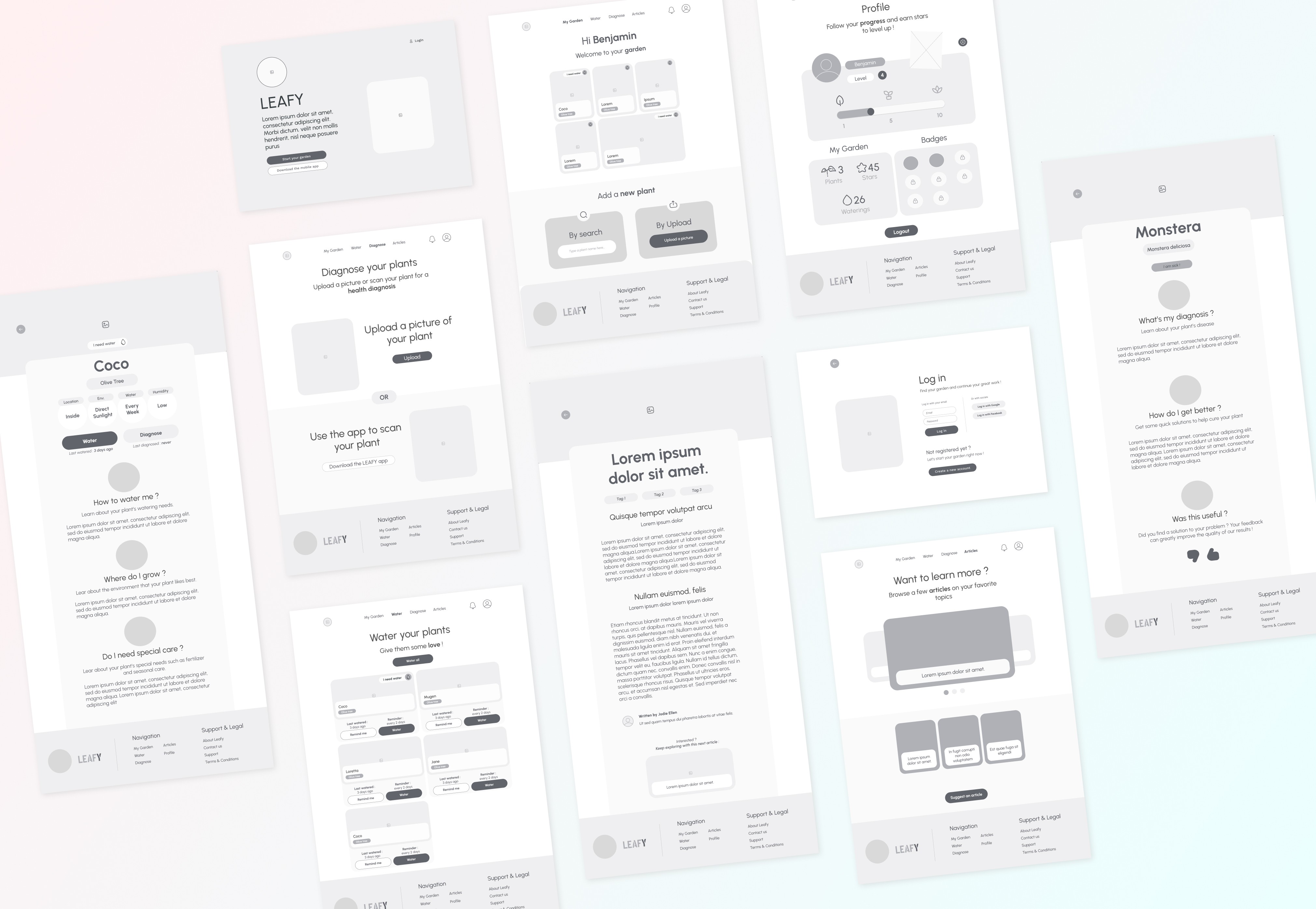
After some paper wireframe design (which are WAY too messy to show you here), I moved on to building low-fidelity prototypes using Figma. The main challenge here was to adapt the mobile app version to take more available space, while keeping the design simple and uncluttered.
Adding interaction and touch
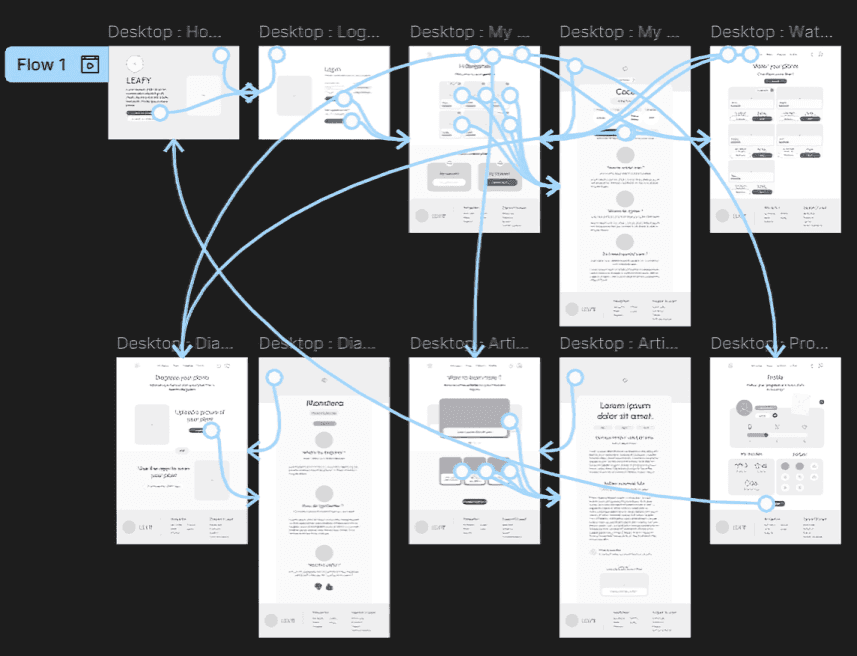
I started grooming and refining the low-fidelity prototype by adding interaction and touch, in order to prepare for my first round of user testing.
Cherry on the cake
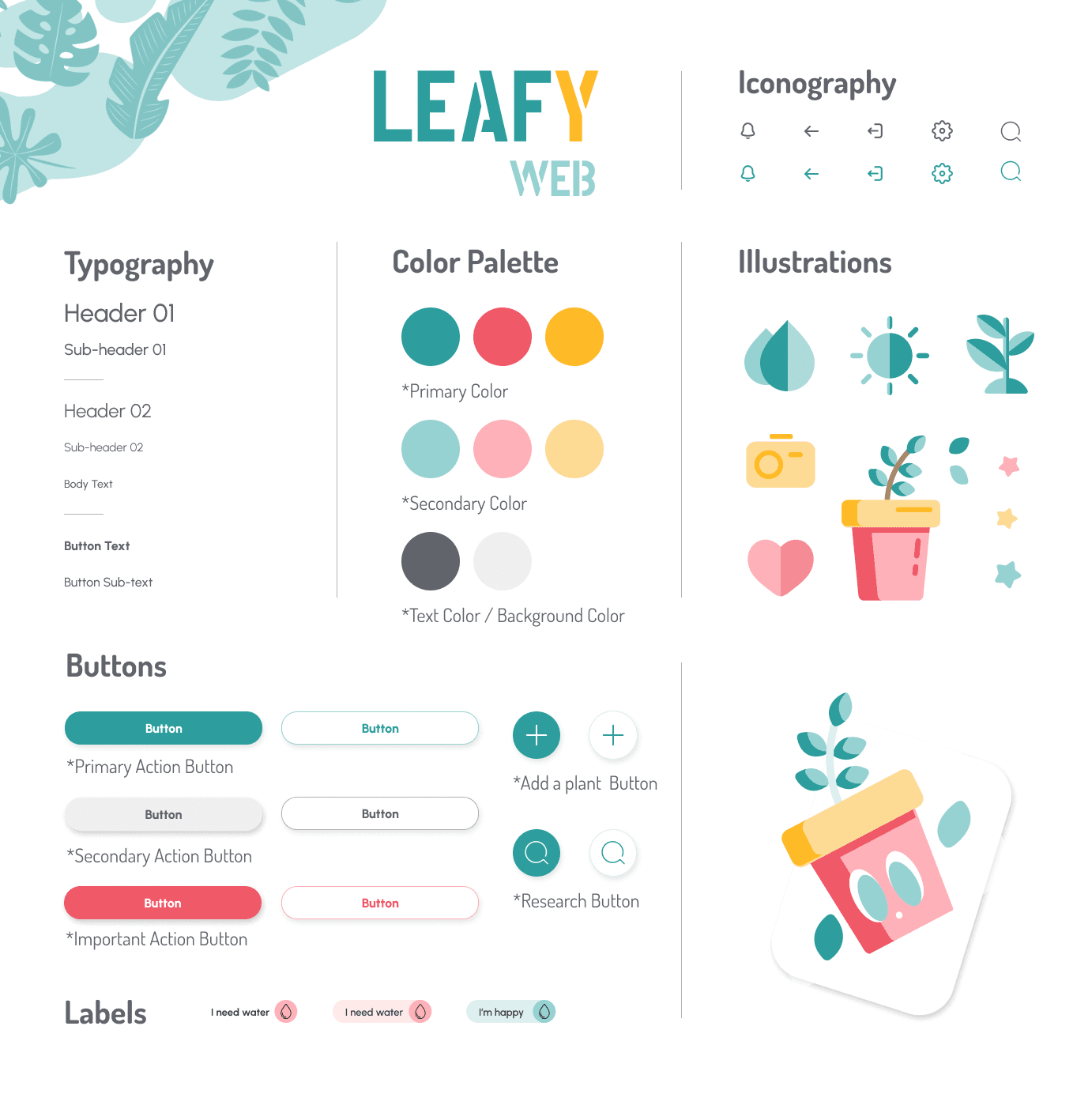
With high-fi prototyping came the important issue of visual design and the global vibe which would be given to the Leafy web project.
I wanted to input a small amount of colors in order to let the pictures of the plants take up screen size and be the heart and color of the website. But I still wanted to infuse a calming and positive vibe overall.
Testing Leafy
After each step of design I initiated a round of usability study with as many people I could find. Needless to say that this was challenging, considering I did not have huge resources or access to a big pool of users, but I did manage to get extremely valuable feedbacks from those interviews and update my Low-fi and High-fi prototypes regularly.
Accessible, of course
A great deal of research and work was done in order to meet the WCAG accessibility standards. The Leafy website uses for instance hierarchical headlines and accessible colors (contrast compliant).
Responsive, always
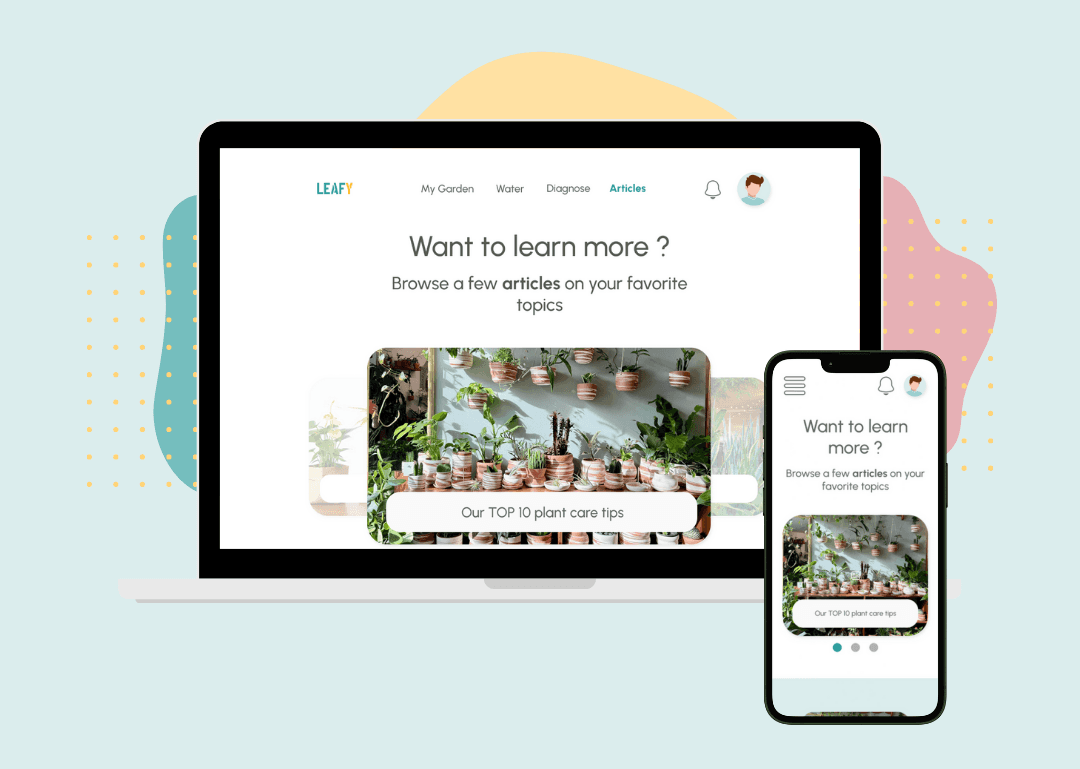
Each lo-fi and hi-fi mockup was designed on at least 2 screen sizes in order to ensure the responsiveness of the Leafy website :
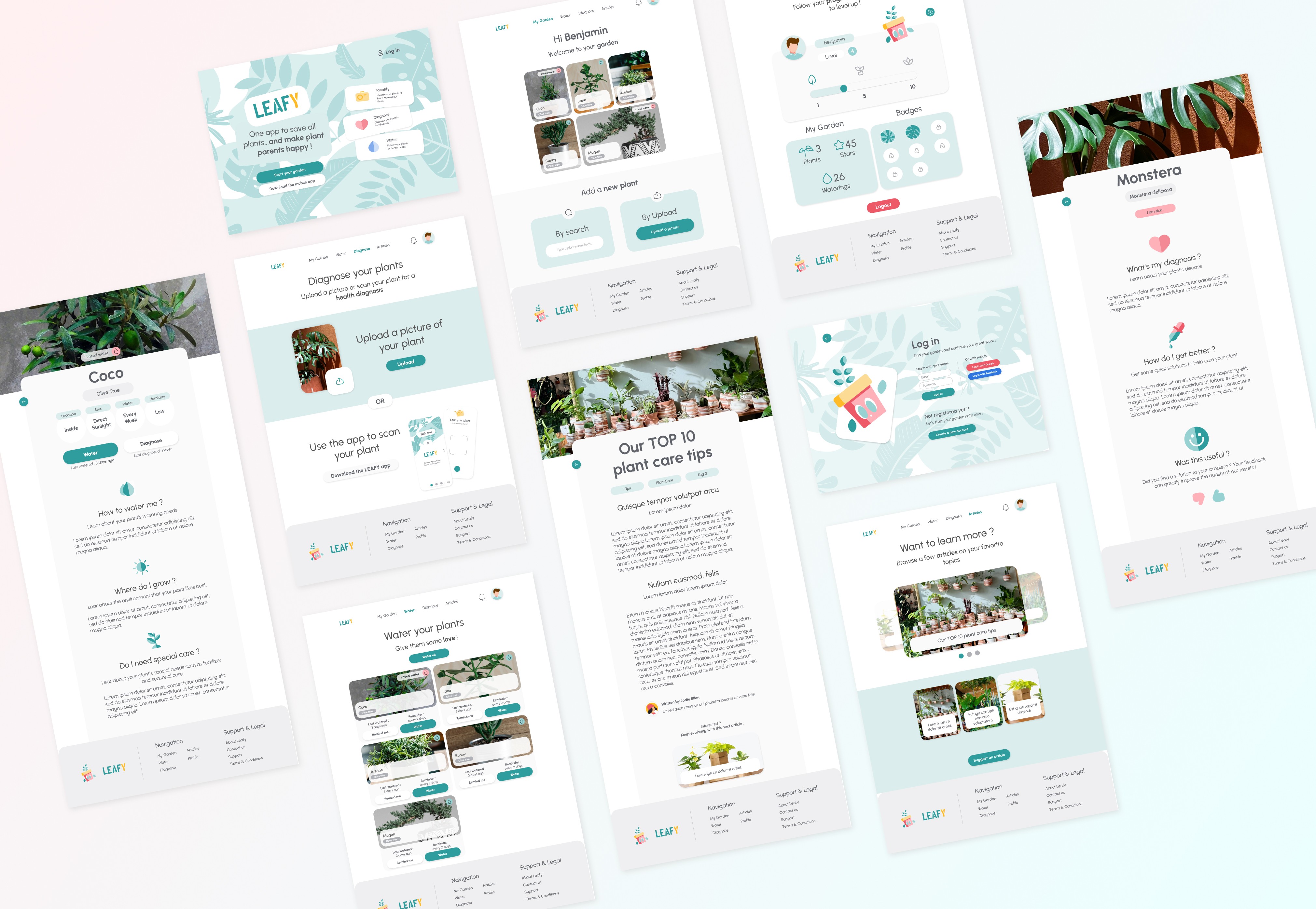
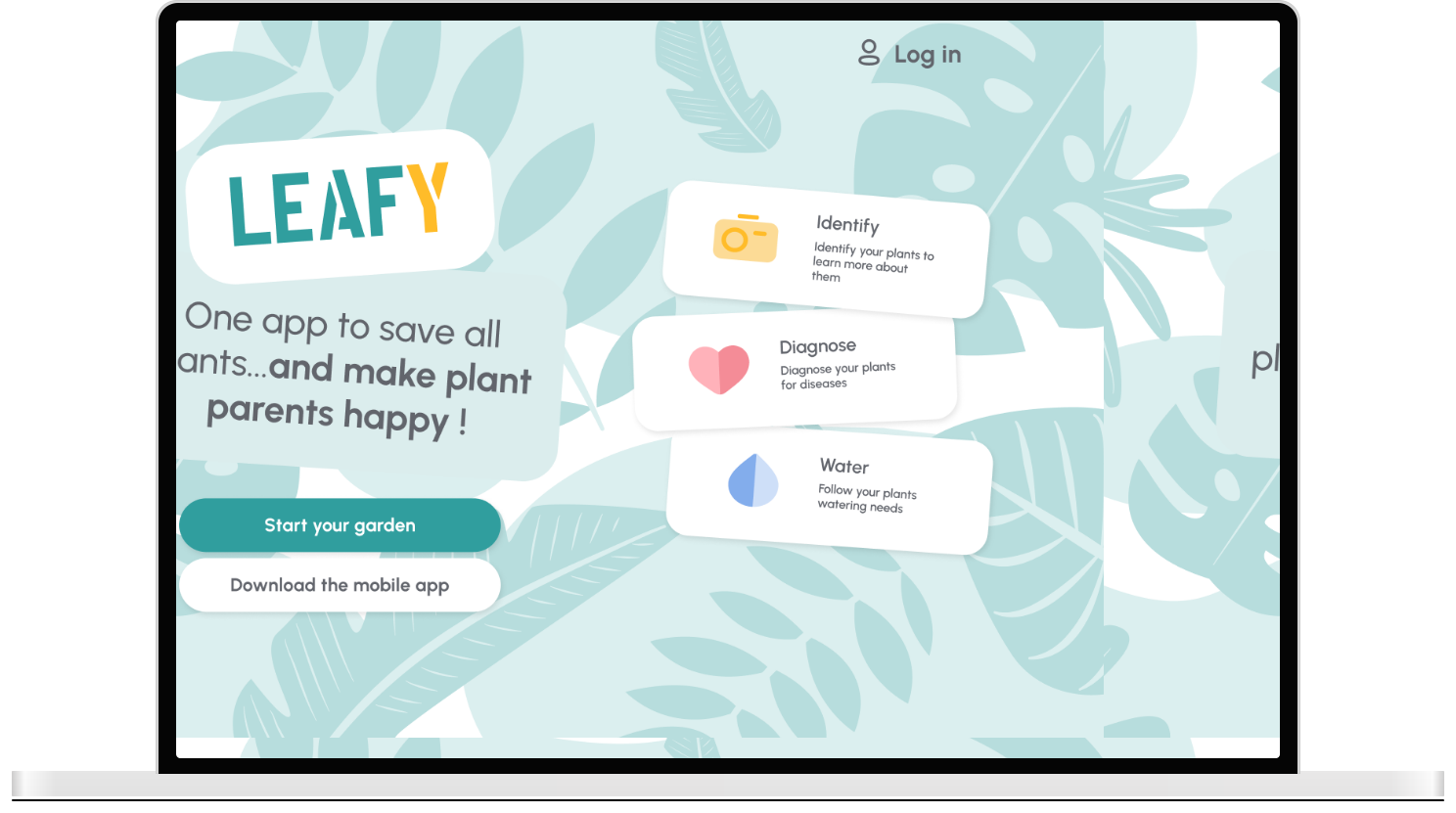
Leafy ends up solving all those plant parents worries with friendly advice and fun vibes. 3 key functionalities help with this task :
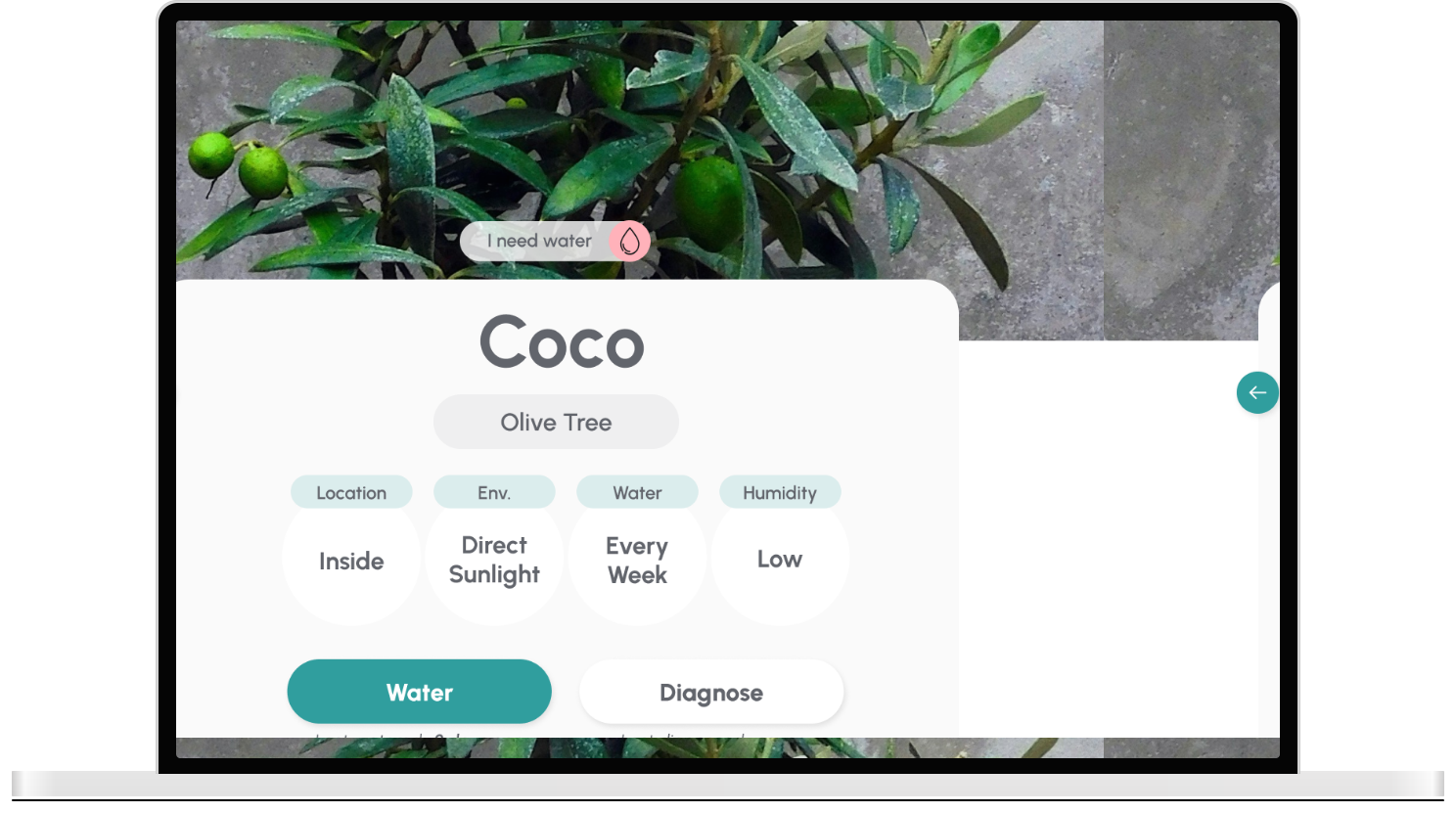
Smart identification system to know more about their plants
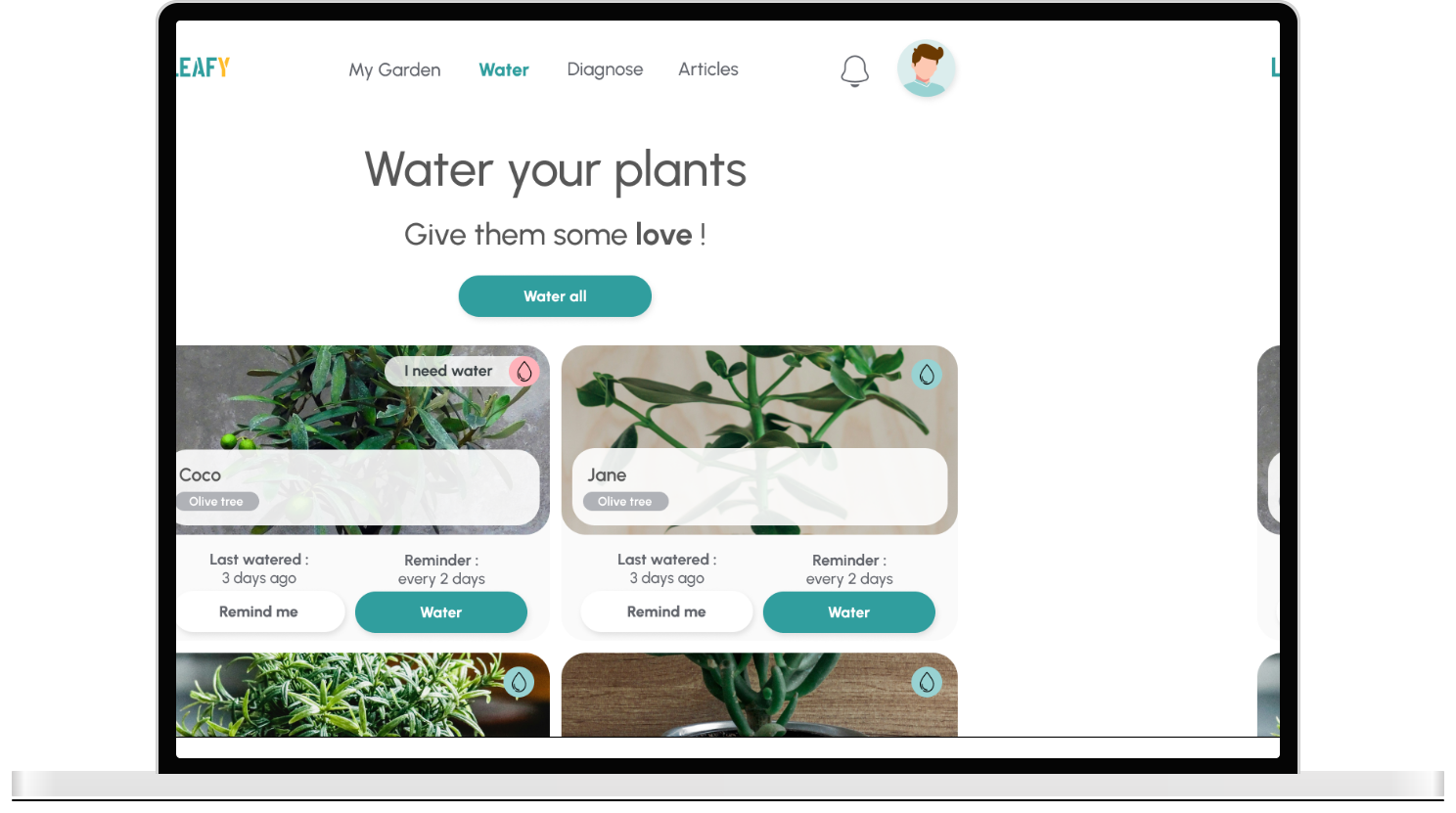
Quick watering function with reminders to never forget to give them love
Easy diagnosis and emergency pack with simple solutions to apply in case of sickness
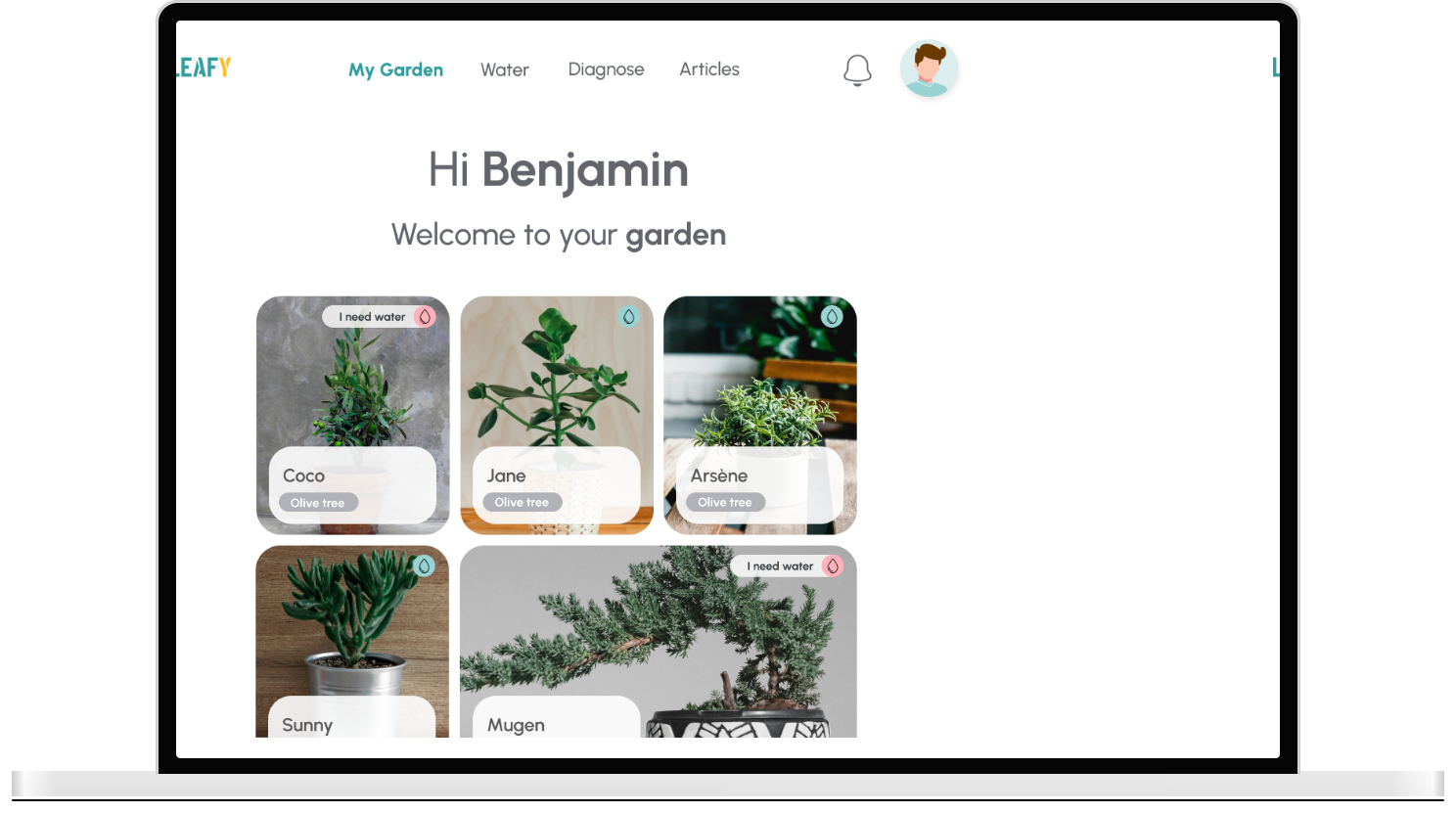
All of it wrapped up in a fun and rewarding progress system, to keep the user happy and engaged.
Final Results !
Let's see how all this work came together :
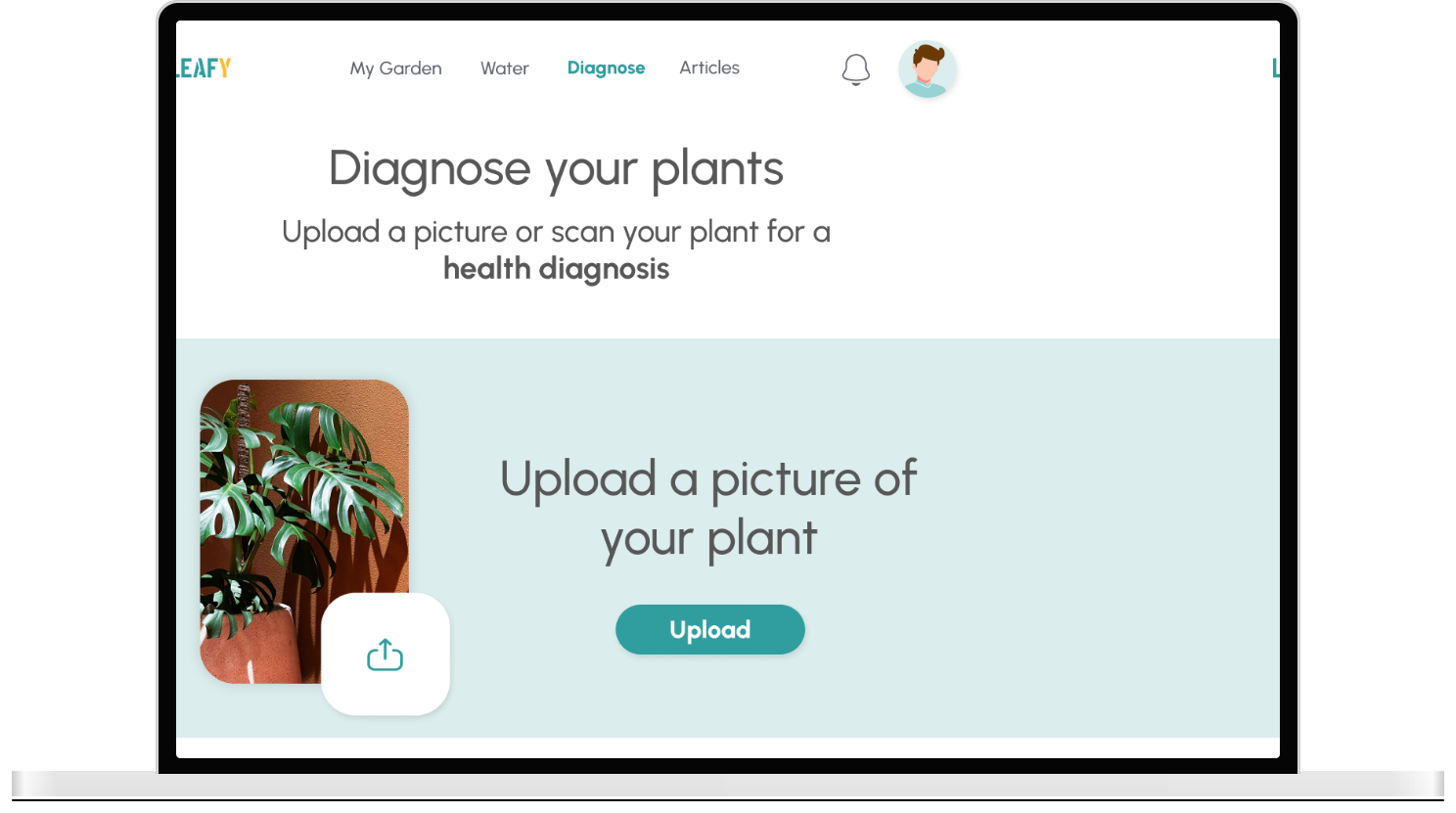
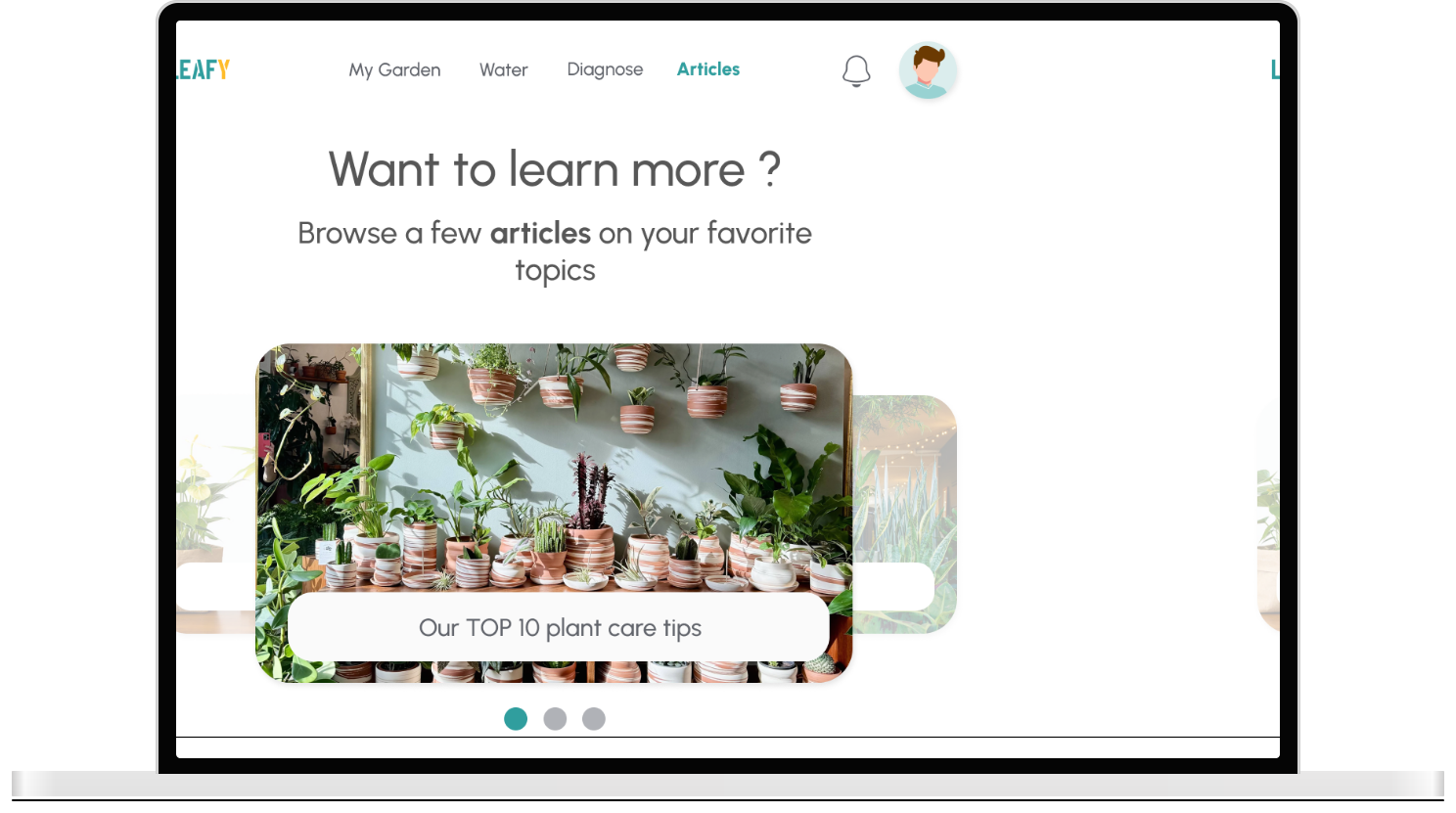
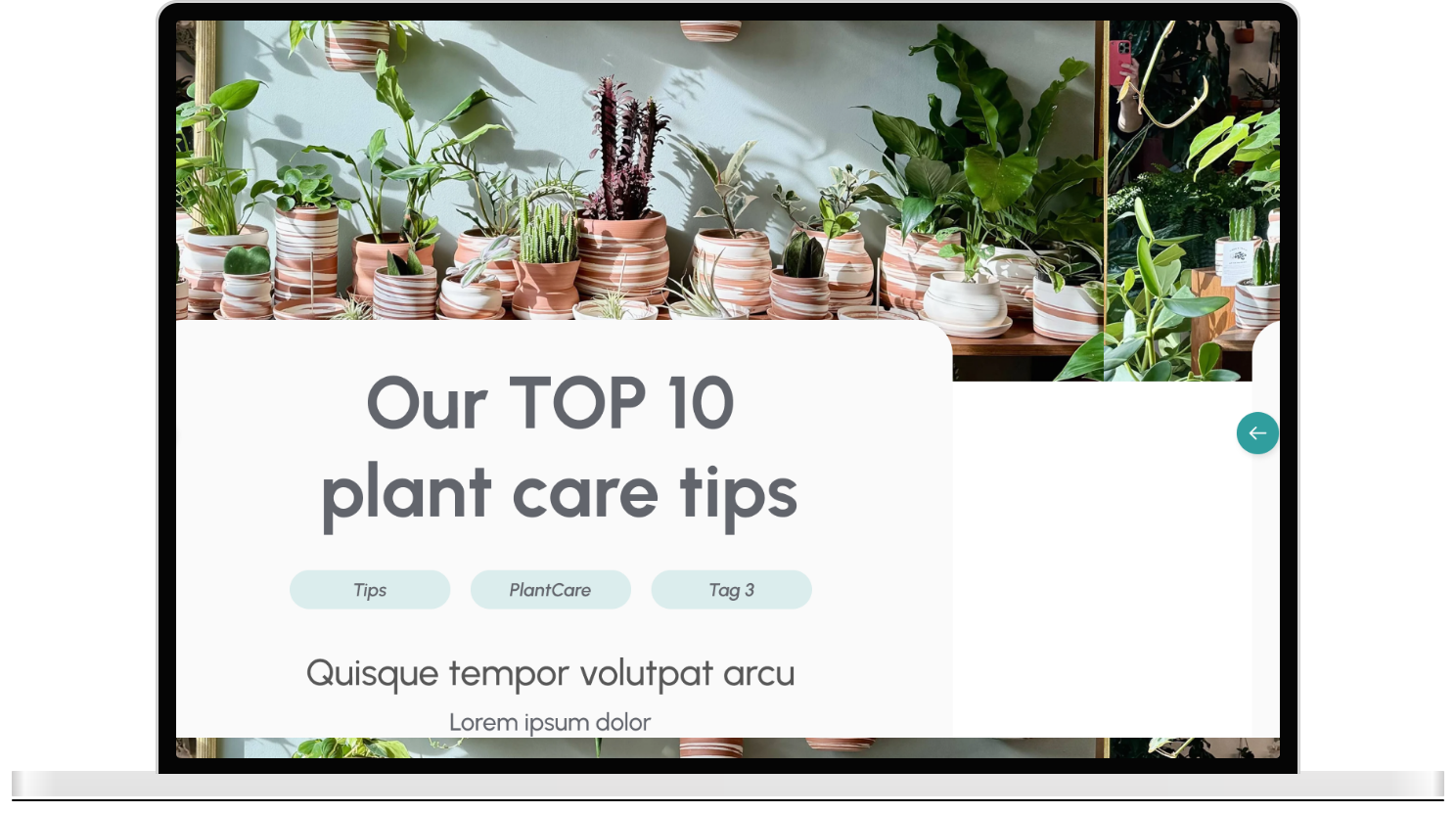
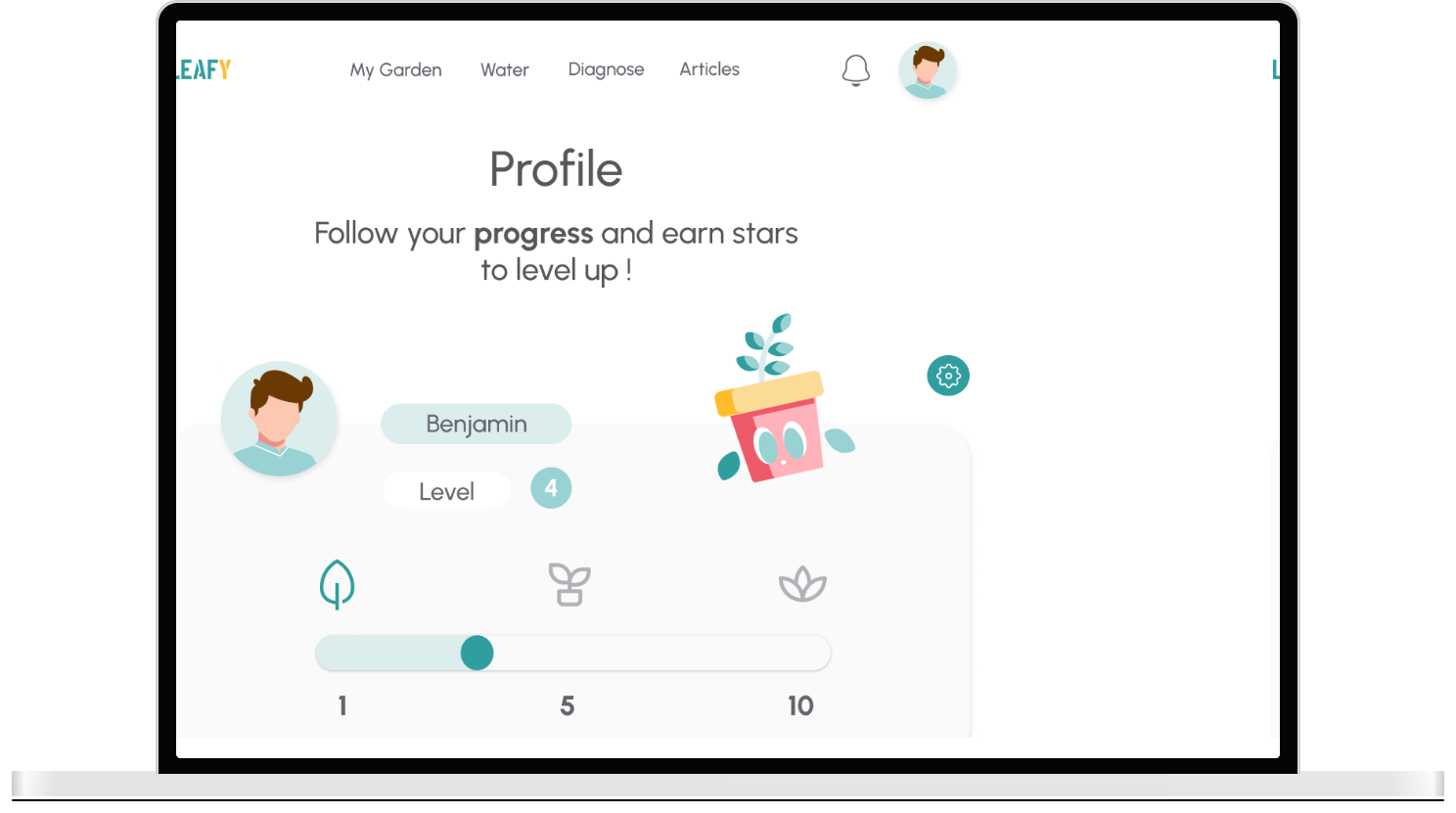
New features and updates
As a result of user feedbacks coming from the mobile app, I had lots of ideas and plans to improve the Leafy website again and enrich it with new functionalities. I took the opportunity of the website adaptation to include new features which I did not have the time to implement previously.
Here are a few additions in the website version :
An Article feature which allows for more in depth knowledge about plants to be available, and the ability for users to suggest articles
A Leafy mascot to accompany the user through his journey towards better plant care : I designed the mascot based on a potted plant and added it in the logo and several pages.
Overcoming the bumps on the road
Needless to say I encountered a few challenges along the way to making Leafy the best project possible, among which :
Being a team of one with limited resources and a small user testing pool
Being myself a concerned plant parent and having to put aside my own opinions and biases on the matter to put my users needs first
Having to work on this project on evenings and week-ends, when my time and energy allowed it
Positive Feedbacks
I am definitely proud of overcoming those challenges in order to produce a high-quality project. Especially because I had great positive feedbacks from my pool of users, among which :
The website is easy to use and instinctive
The visuals are simple, calming and the color theme well picked
The progress system looks cool and engaging
That's a wrap !
Thank you for reading this far 💛