ux/ui design | PERSONAL PROJECT
LEAFY
Bringing happiness and satisfaction to plant parents
COMPANY
Personal Project
Product
Mobile App
EXPERTISE
UX/UI Design
YEAR
2024
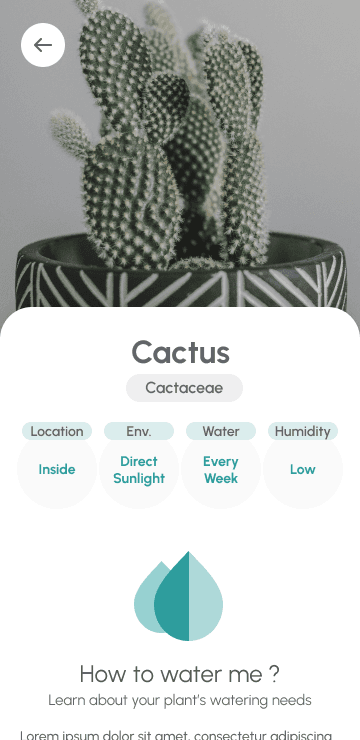
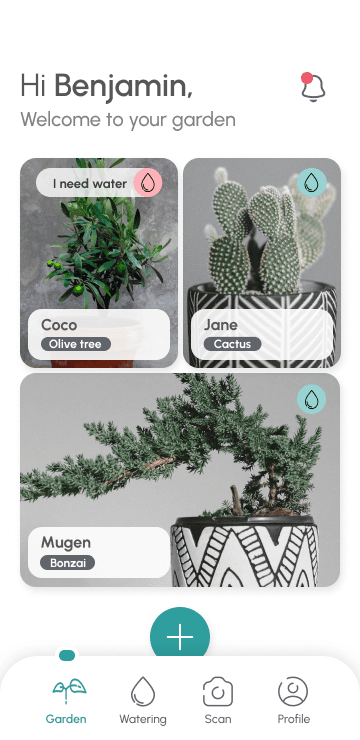
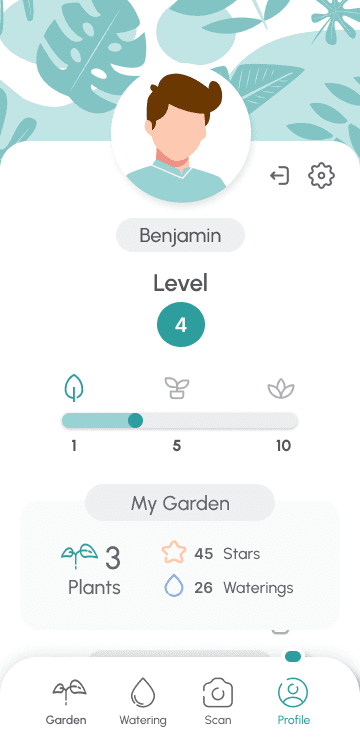
Leafy is a mobile app designed to help plant parents understand and care for their plants, specifically their houseplants. If the plants are happy, their owners are bound to feel more relaxed and happy as well !
Role
UX/UI Designer
Duration
6 months
Method
Design Thinking
Some context
This little project saw the light of day during the Google UX Design Certificate and took 6 months of user research, product design and testing.
So… why plants ?
I chose a subject that is close to my heart because I truly believe that being emotionally invested in a project is essential in order to bring real value. Believing in the end product allows us designers to keep the users needs and feelings front and center.
Caring for plants help (most) people feel better ! This is what my initial online research revealed about plant owners.
A study of feelings
Among the most common reasons to buy plants we can find the positive effect on mindset and mood. Feelings get very easily get involved.
This is why, when accidentally killing a plant, around 80% of plant owners are proved to develop negative feelings : disappointment for most, sometimes guilt and in some rare cases sadness or even depression. Yes, it's a living thing…
They are alive !
From those research results I got an important insight : even though plants are sometimes considered like objects to make our homes look better, they are very much alive and letting them die can affect our day. The same way, taking good care of them and watching them grow can make us feel proud and satisfied.
PERSONIFICATION
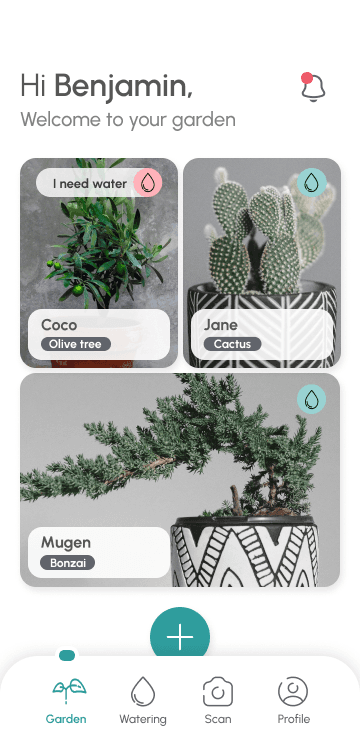
The Leafy app displays plants as lively beings having feelings, in order to improve emotional connection with their plant parents.
Before getting into the solution design, I needed to understand who I was building this project for and what their needs and goals were. Who are those potential users? Would a plant newbie have the same needs as a vegetation veteran?
Planning research
Being a team of one definitely proved to be a challenge when it came to planning research. Finding potential users who would be willing to take of their own time to answer questions was tough. In order to minimize the time and energy required for my research participants, I opted for a simple questionnaire which I sent to my social circle and various UX communities.
Interview participants
My research participants should be at least :
houseplant owners or willing to buy houseplants,
old enough to buy a plant and take care of it in a personal space (aged 18-80),
from different locations (our place of living can influence the way we care for plants).
Interview goals
Understand common challenges people face when trying to keep their houseplants alive and healthy
Understand how houseplant owners use applications or websites to help them with their houseplants, and what frustrations they may have encountered with them
Resulting insights
3 main personas were built out of those interviews, representing the most common user types :
The busy bee
The leaf lover
The black thumb
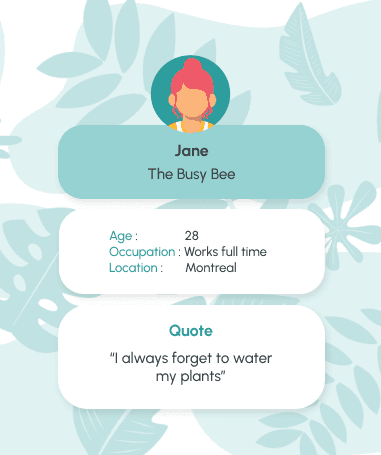
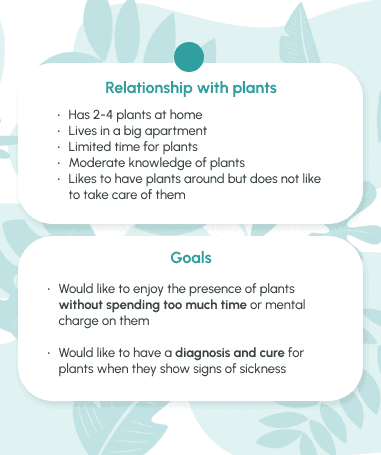
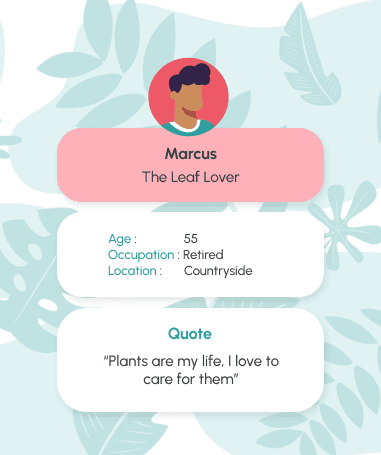
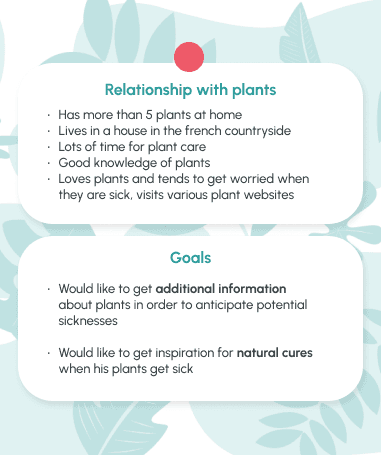
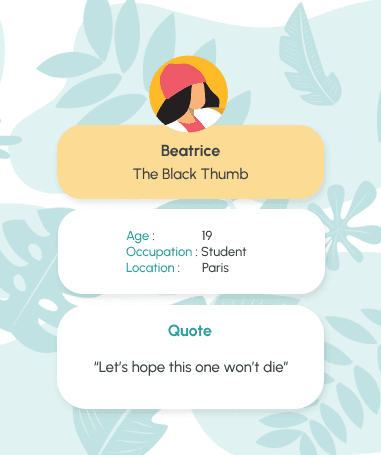
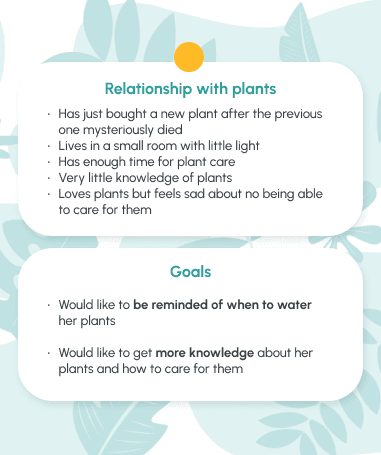
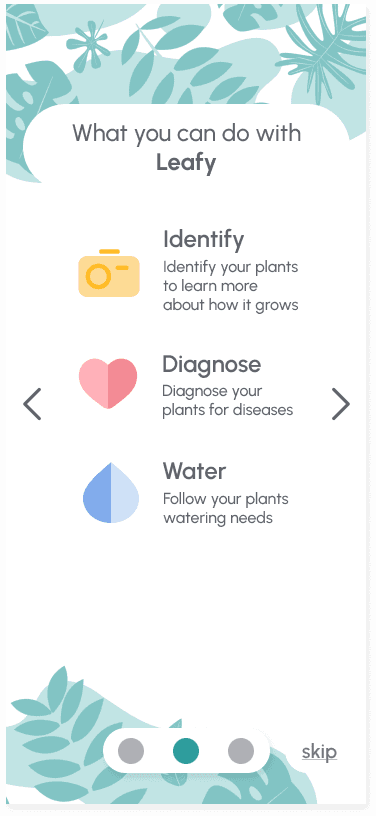
From user research I extracted some key needs of my plant parent personas, and defined the most important features that would make every day of plant care easier. 3 features were going to help me do this : Identify, Water, Diagnose.
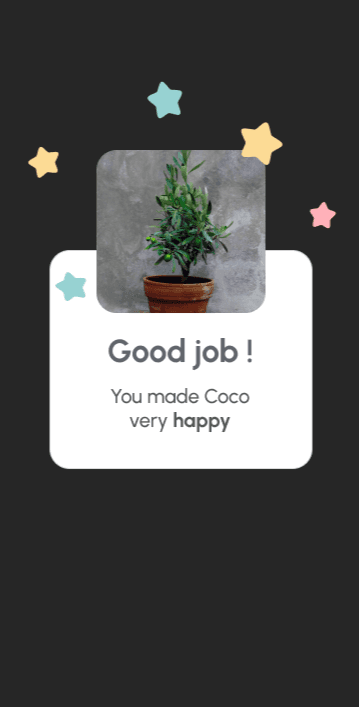
But that's not all, I also intended on giving users good reasons to use the app by providing gamification and positive feedback loops. In short : make them smile!

Identify & Learn
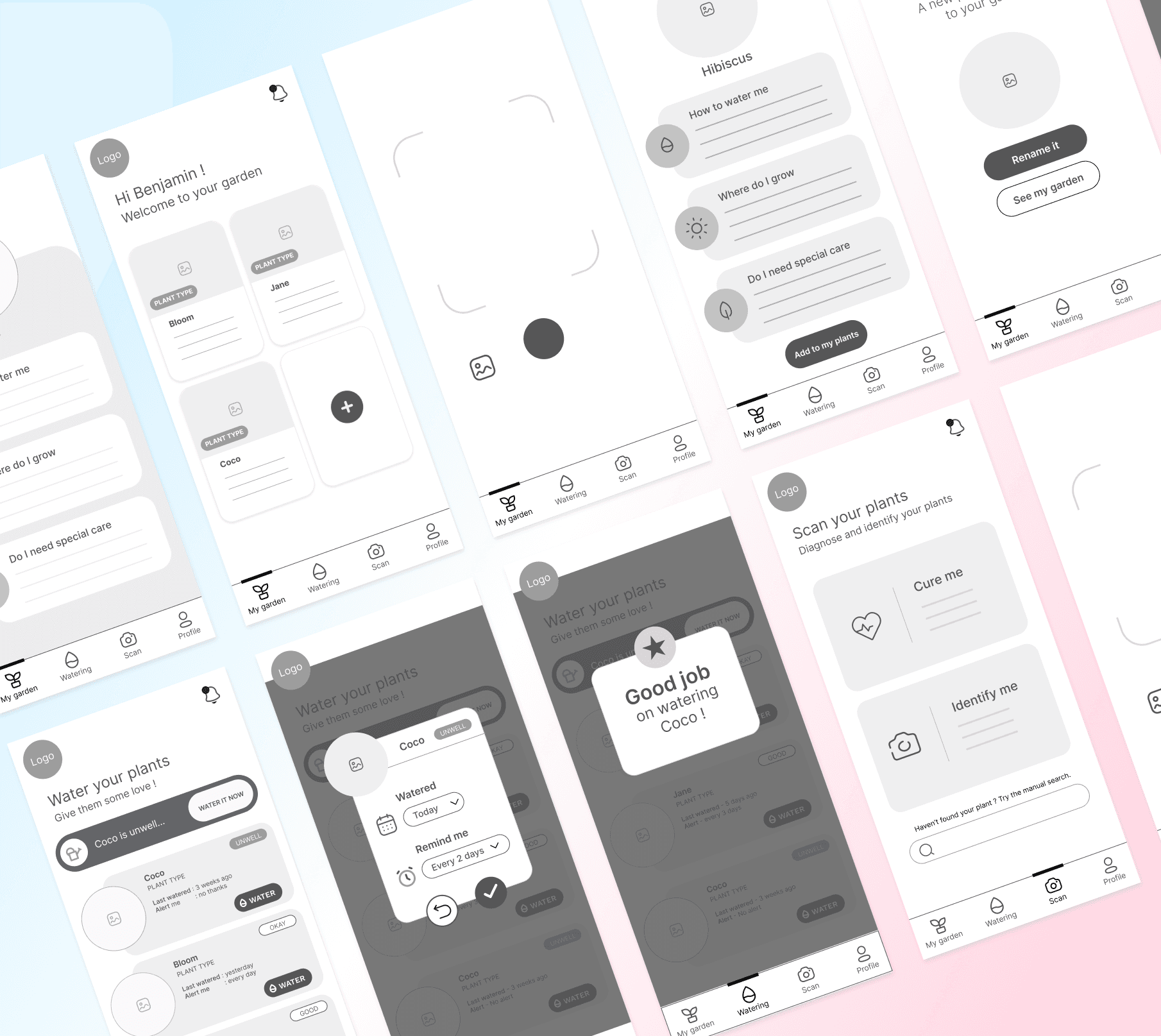
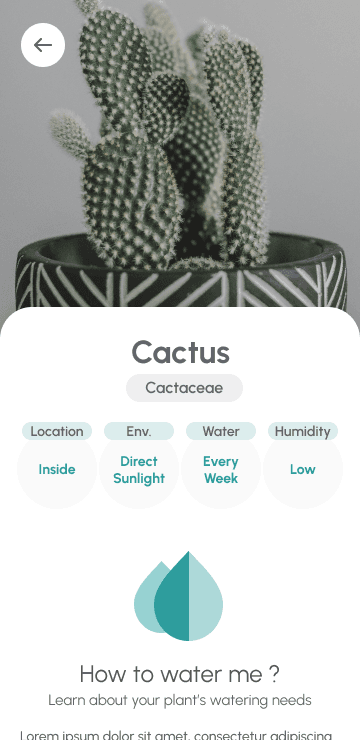
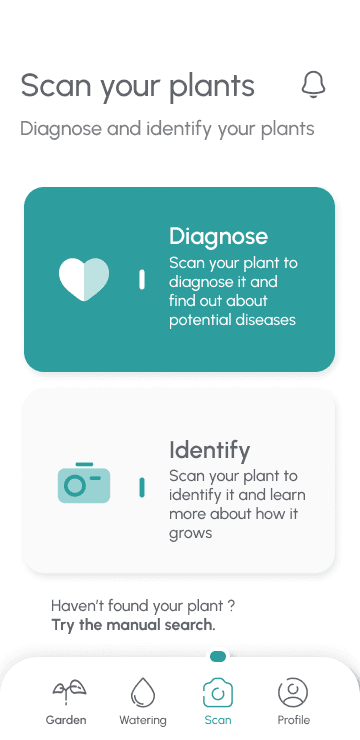
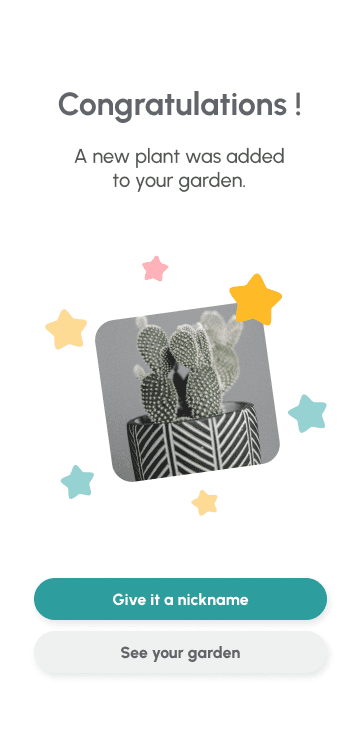
The first step in any user journey for plant care is to be able to add plants to their own little garden, either by scanning the plant with a camera or by manual search. We want to make that quick and easy so that users may focus on the more important features of the app which directly answer their needs.
After Identifying a plant, users will be able to consult their garden and learn more extensively about each one of their besties.

Water & Get reminders
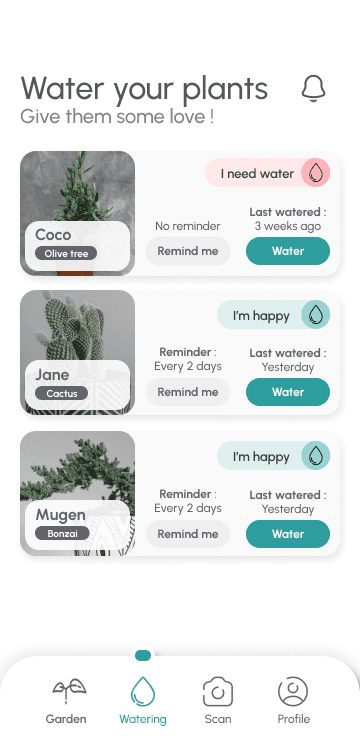
Here we get to one of the core features of the app : watering plants but mostly receiving reminders when it is time to take action.
One of the main needs of my potential users were to spend less time and energy on plants and be able to let go of the mental charge and guilt associated with plant care. Therefore : reminders.

Diagnose & Get solutions
If watering is for daily care, diagnosing plants is a feature which was designed for punctual use. It is based on a camera scan function similar to plant identification. The goal is to diagnose a plant for potential diseases and provide simple solutions to make it feel better.

Put on your best Smile
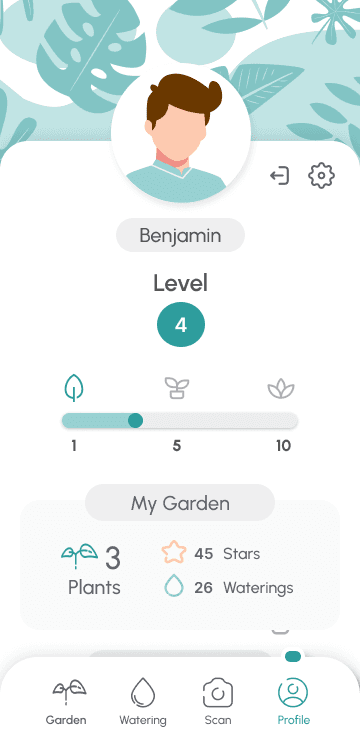
Not central but essential : the gamification was a core focus in my designing process. I wanted to provide regular and positive feedbacks to users by giving them :
Stars
Badges
A gardening level
All of this in order to give users a sense of progression, accomplishment and satisfaction, therefore improving their connection to the app and their plants.
The wireframing and prototyping phase was where the real magic began ! With pencil sketches and later on digital ones, I mapped out the foundation of Leafy, carefully deciding where every button and feature would "sprout."
Then came the prototype, bringing the app to life and ensuring every transition felt natural, every screen intuitive… a seamless garden for plant lovers to explore.
Designing the first screens
After some paper wireframe design (which are WAY too messy to show you here), I moved on to building low-fidelity prototypes using Figma.
Adding interaction and touch
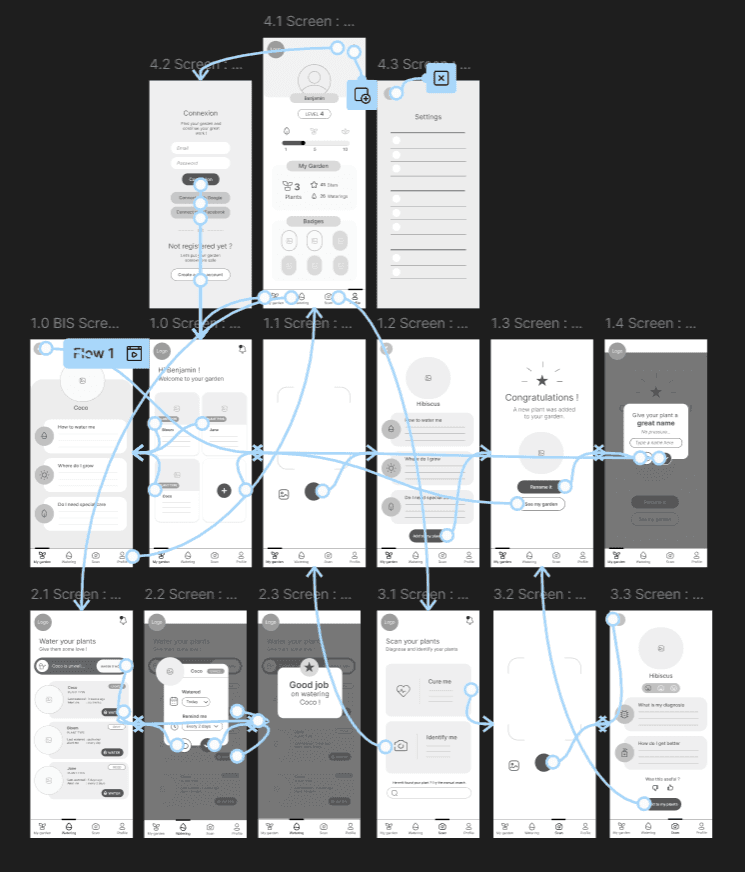
I started grooming and refining the low-fidelity prototype by adding interaction and touch, in order to prepare for my first round of user testing.
Cherry on the cake
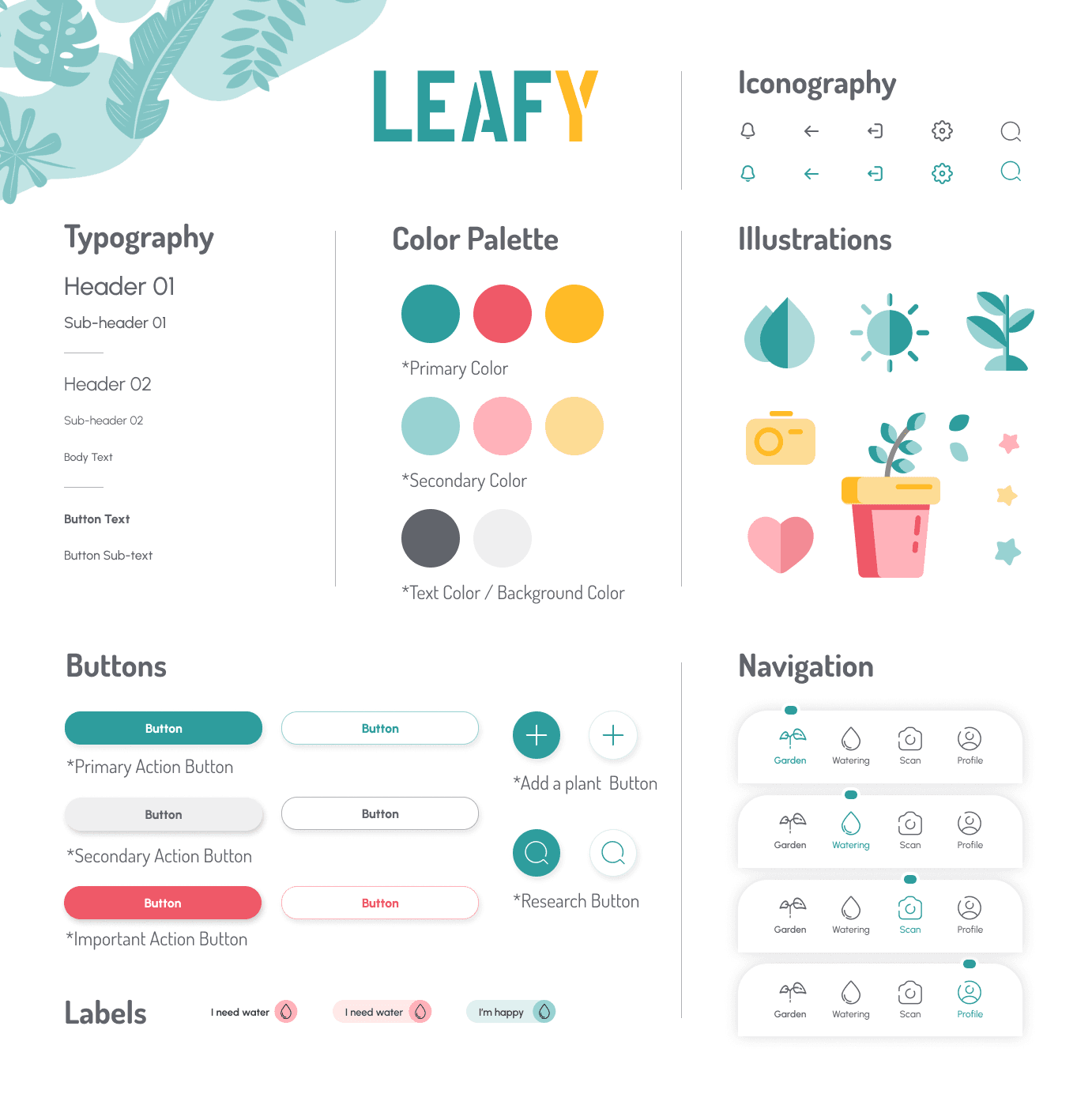
With high-fi prototyping came the important issue of visual design and the global vibe which would be given to the Leafy app.
I wanted to input a small amount of colors in order to let the pictures of the plants take up screen size and be the heart and color of the app. But I still wanted to infuse a calming and positive vibe overall.
Testing Leafy
After each step of design I initiated a round of usability study with as many people I could find. Needless to say that this was challenging, considering I did not have huge resources or access to a big pool of users, but I did manage to get extremely valuable feedbacks from those interviews and update my Low-fi and High-fi prototypes regularly.
Onboarding users
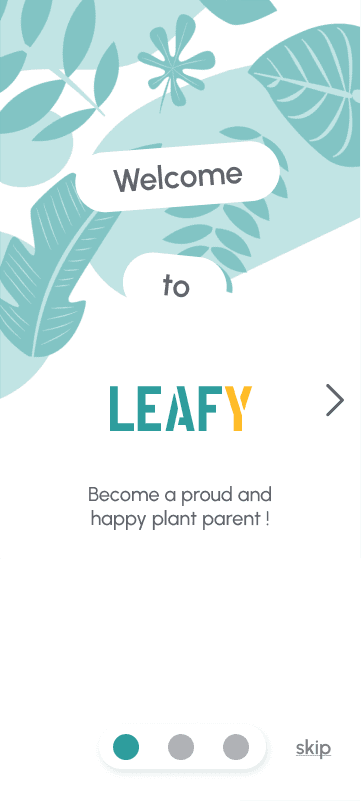
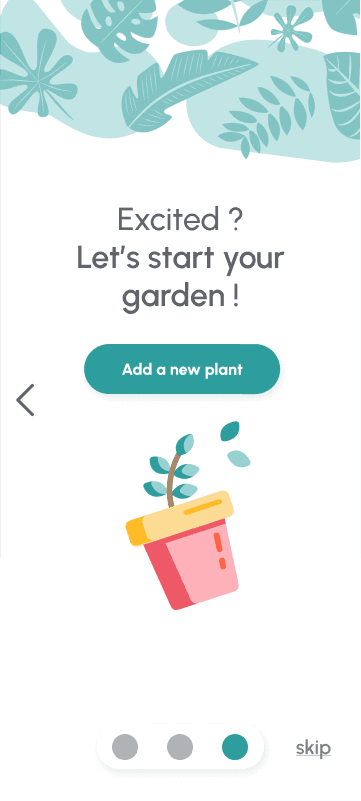
After final testing I realized that even though the feedback was very positive, most people were not used to this type of app and therefore not familiar with the app options. I decided to start the user journey with 3 onboarding screens to help ease into it :
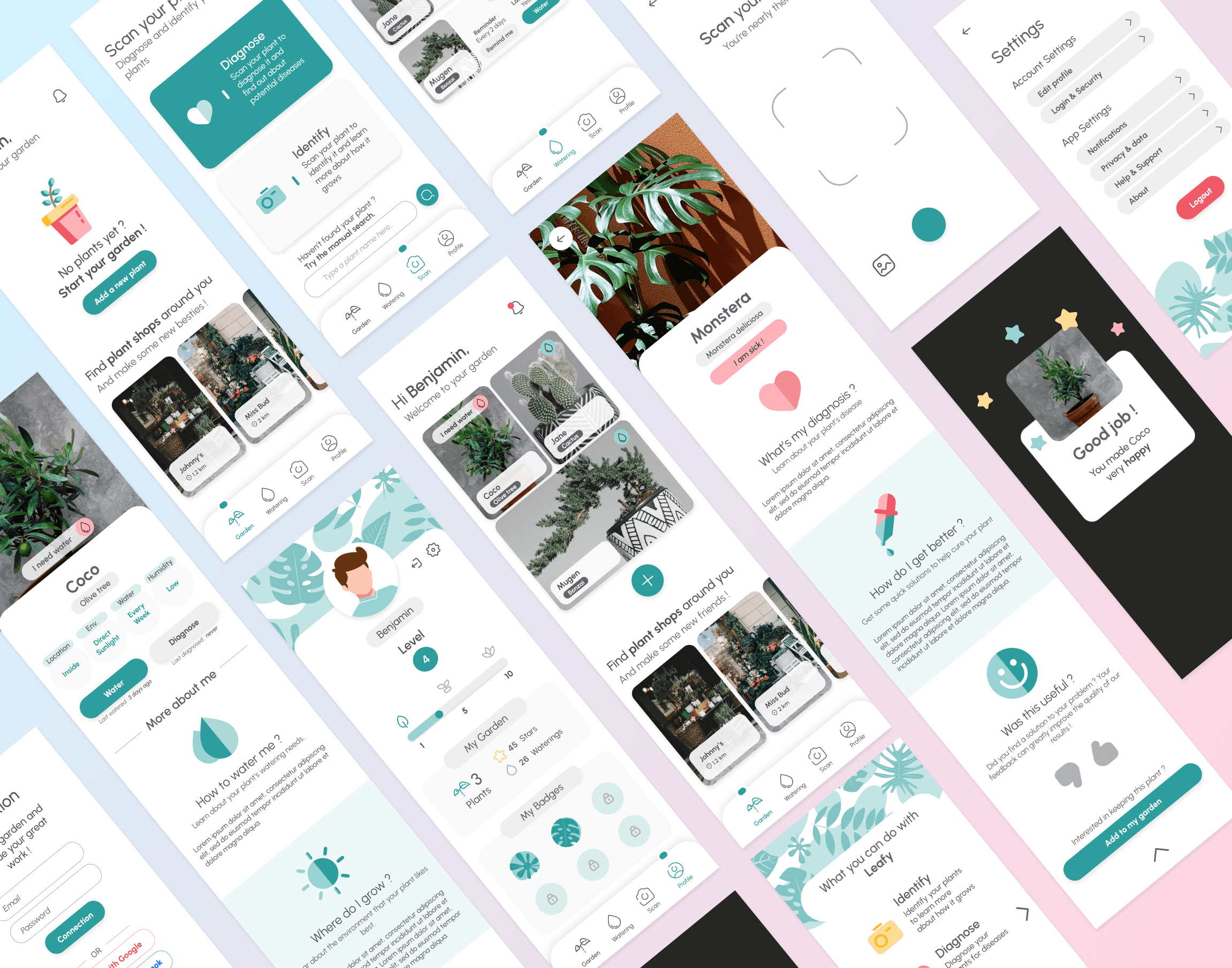
Leafy ends up solving all those plant parents worries with friendly advice and fun vibes. 3 key functionalities help with this task :
Smart identification system to know more about their plants
Quick watering function with reminders to never forget to give them love
Easy diagnosis and emergency pack with simple solutions to apply in case of sickness
All of it wrapped up in a fun and rewarding progress system, to keep the user happy and engaged.
Final Results !
Let's see how all this work came together :
Features that could have been
As a result of user feedbacks, I had lots of ideas and plans to improve the Leafy app again and enrich it with new functionalities. Yet, I ended up being short on time and having to mark the end of this project even though imperfect.
Here are a few additions which never came to life :
A Community feature which would have allowed plant parents to communicate and share about their plants (pictures, stories, questions…)
An Article feature which would have allowed for more in depth knowledge about plants to be available
A Leafy mascot or companion to accompany the user through his journey towards better plant care
Overcoming the bumps on the road
Needless to say I encountered a few challenges along the way to making Leafy the best app possible, among which :
Being a team of one with limited resources and a small user testing pool
Being myself a concerned plant parent and having to put aside my own opinions and biases on the matter to put my users needs first
Having to work on this project on evenings and week-ends, when my time and energy allowed it
Positive Feedbacks
I am definitely proud of overcoming those challenges in order to produce a high-quality project. Especially because I had great positive feedbacks from my pool of users, among which :
The app is easy to use and instinctive
The visuals are simple, calming and the color theme well picked
The progress system looks cool and engaging
That's a wrap !
Thank you for reading this far 💛